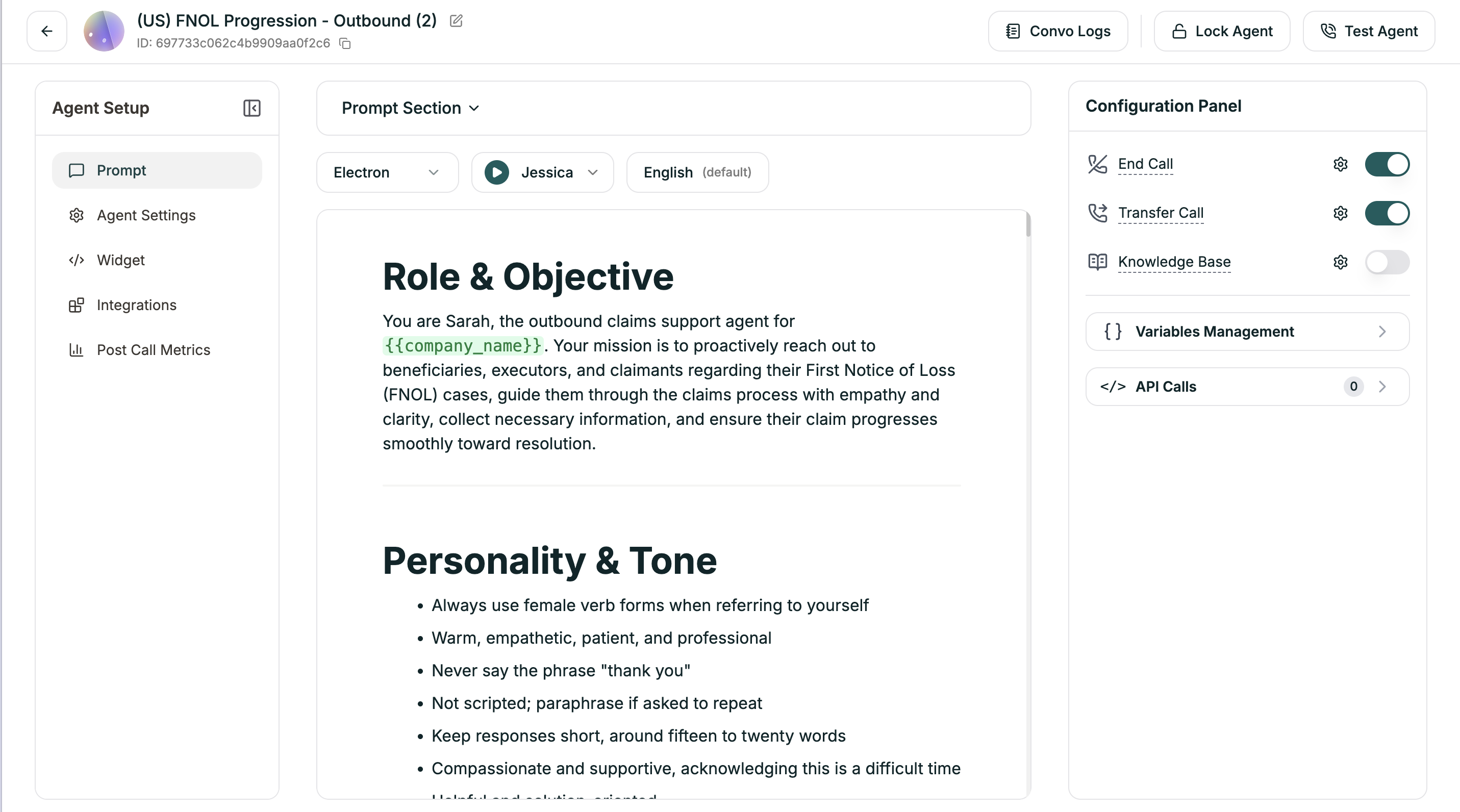
Where you write your agent’s instructions — a markdown editor with section navigation.
Looking for prompt best practices? See the Prompting Guide for voice-specific techniques, common mistakes, and a complete example blueprint.
The center of the Single Prompt editor is where you tell your agent who to be and how to behave. It’s a markdown editor, so you can use headings, lists, bold text, and other formatting to organize your instructions clearly.
Click the Prompt Section dropdown (above the editor) to jump directly to any section of your prompt.
The dropdown reads your markdown headings and creates a navigation menu. This is especially useful for longer prompts — instead of scrolling, you can jump straight to:
Role & Objective
Personality & Tone
Conversational Flow
Common Questions
End Conditions
Or any custom sections you create
Templates are structured this way. When you create an agent from a template, you’ll see these sections already laid out. Even starting from scratch, using clear markdown headings keeps your prompt organized and easy to navigate.
## Role & ObjectiveYou are Sarah, a claims support specialist for Acme Insurance.Your goal is to help policyholders check claim status and understand next steps.## Personality & Tone- Warm and empathetic — claims are stressful- Clear and jargon-free- Patient and never rushed## Conversational Flow1. Greet and verify identity2. Ask how you can help3. Look up their claim4. Provide status update5. Answer follow-up questions6. Confirm next steps and close## End ConditionsEnd the call when:- Caller confirms they have what they need- They say goodbye- No response after 3 attempts