

Getting There
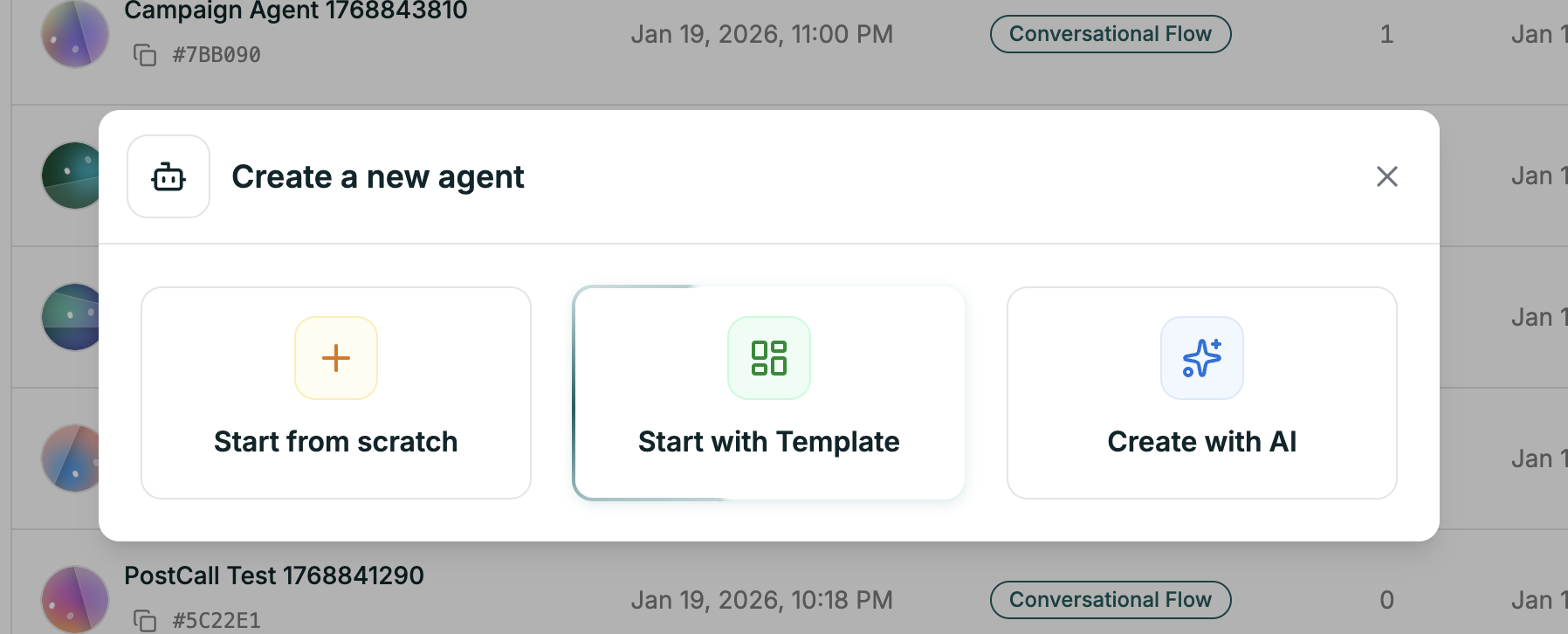
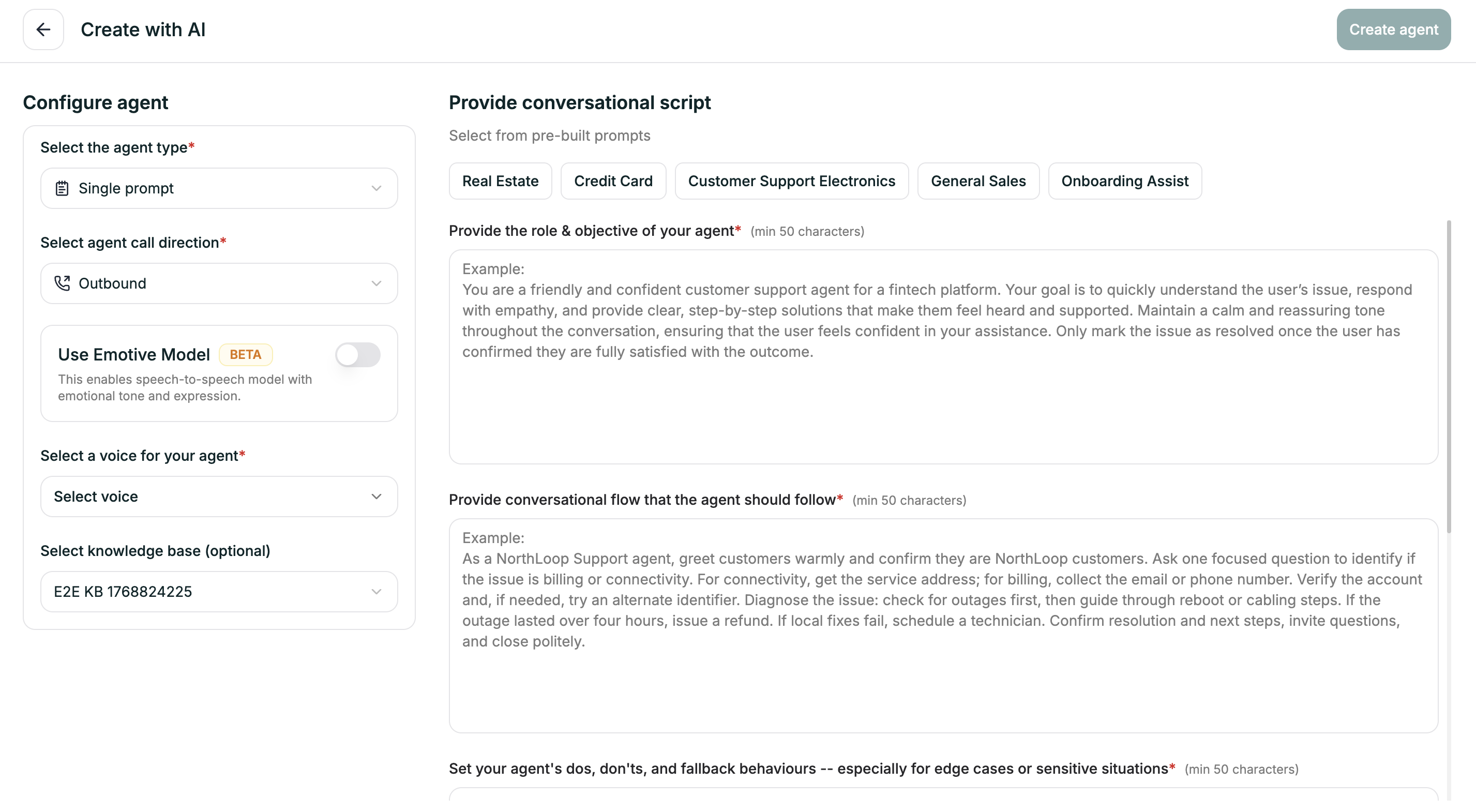
Configure Agent (Left Panel)
Set up the basics before writing your prompts:| Field | What to Choose |
|---|---|
| Agent Type | Single Prompt (already selected) |
| Call Direction | Inbound or Outbound |
| Emotive Model | Toggle on for emotional expression (Beta) |
| Voice | Pick from the voice library |
| Knowledge Base | Optionally attach an existing KB |
The Four Prompts (Right Panel)
Each prompt helps AI understand a different aspect of your agent. All require at least 50 characters.1. Role & Objective
1. Role & Objective
Who is this agent and what’s their goal?Tips:
- Be specific about the company/industry
- Define the primary goal clearly
- Include personality traits (friendly, professional, empathetic)
- Mention what success looks like
2. Conversational Flow
2. Conversational Flow
What steps should the agent follow?Tips:
- Think about the typical call from start to finish
- Include verification steps if needed
- Mention key decision points (what changes the path?)
- End with how to close the conversation
3. Dos, Don'ts & Fallbacks
3. Dos, Don'ts & Fallbacks
How should the agent behave, especially in tricky situations?Tips:
- List explicit “always do” behaviors
- List explicit “never do” constraints
- Think about edge cases: what if verification fails? caller gets frustrated? agent doesn’t know the answer?
- Define escalation paths
4. End Conditions
4. End Conditions
When should the call end?Tips:
- Issue resolved and confirmed
- Customer says goodbye or thanks
- Successful transfer to human
- No response after multiple attempts
Pre-Built Prompts
Not sure what to write? Click any template tab to pre-fill all four prompts:- Real Estate
- Credit Card
- Customer Support Electronics
- General Sales
- Onboarding Assist
After You Click Create
AI generates your agent and opens the editor with everything already set up:- Prompt — fully written based on your four inputs
- Voice — the one you selected
- Model — configured and ready
- Knowledge Base — attached if you chose one
Prompt Editor
Review and refine the generated prompt
Test Your Agent
See how it performs