

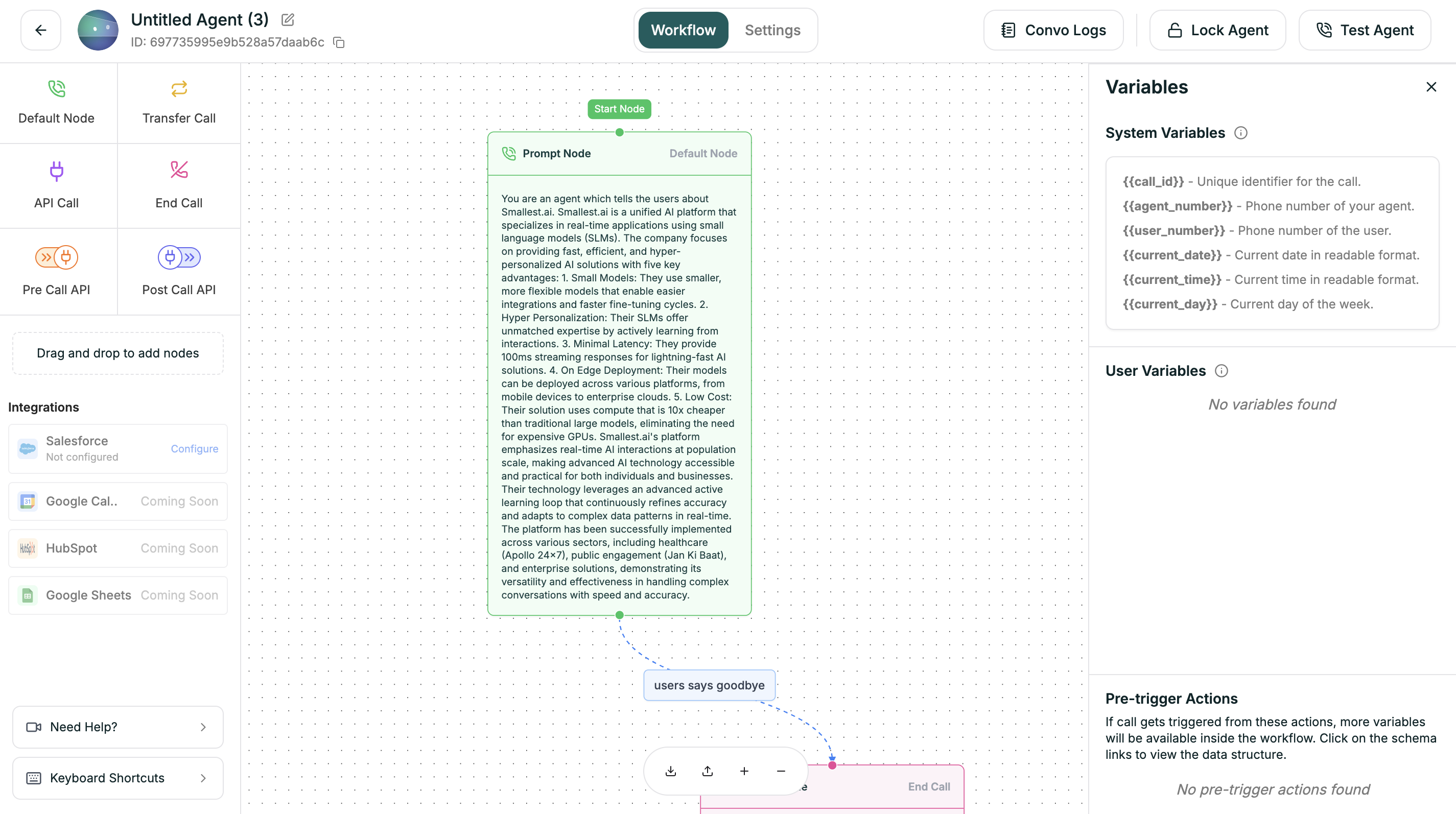
Variable Types
| Type | Source | Example |
|---|---|---|
| User Defined | Variables you create | {{company_name}}, {{promo_code}} |
| System | Platform-provided (read-only) | {{caller_phone}}, {{call_duration}} |
| API | Extracted from API responses | {{customer_name}}, {{account_tier}} |
Syntax
Use double curly braces anywhere in prompts or conditions:Default Values
Handle missing variables with the pipe syntax:customer_name is empty → “Hello there!”
System Variables
| Variable | Description |
|---|---|
{{caller_phone}} | Caller’s phone number |
{{call_time}} | When call started |
{{call_duration}} | Elapsed seconds |
{{call_direction}} | ”inbound” or “outbound” |
{{agent_id}} | This agent’s ID |
{{call_id}} | Unique call identifier |
Creating Variables
- Click Variables in the workflow tab
- Go to User Defined tab
- Click + Add Variable
- Enter name and default value
Extracting from APIs
In API nodes, use Extract Response Data to create variables from responses:| JSONPath | Variable |
|---|---|
$.data.name | customer_name |
$.data.tier | account_tier |