

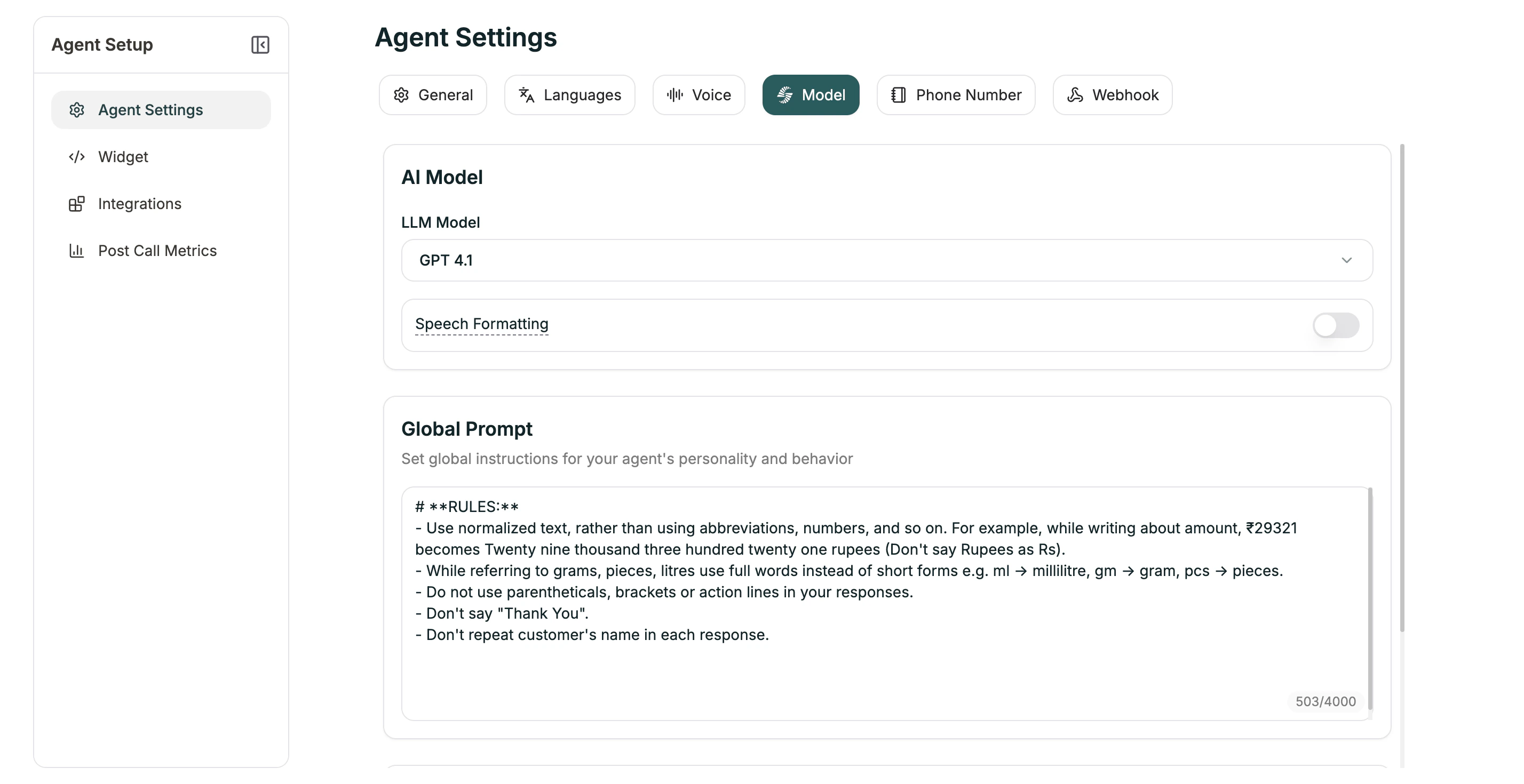
Conversational Flow agents have Global Prompt and Knowledge Base in this tab since individual prompts are defined per-node in the workflow.
AI Model
| Setting | Description |
|---|---|
| LLM Model | The AI model (Electron, GPT-4o, etc.) |
| Language | Primary language for responses |
Global Prompt
Set global instructions for your agent’s personality and behavior. This applies across all nodes (limit: 4,000 characters). Use this for:- Personality traits
- Behavioral guidelines
- Consistent phrasing
- Company-specific instructions
Knowledge Base
Connect a knowledge base for reference material.| Option | Description |
|---|---|
| No Knowledge Base | Agent uses only prompts |
| [Your KB] | Agent can search for answers |
Speech Formatting
When enabled (default: ON), transcripts are automatically formatted for readability — punctuation, paragraphs, and proper formatting for dates and numbers.Language Switching
Enable your agent to switch languages mid-conversation (default: ON).Advanced Settings
| Setting | Default | Description |
|---|---|---|
| Minimum Words | 2 | Words before considering a switch |
| Strong Signal | 0.7 | Confidence for immediate switch |
| Weak Signal | 0.3 | Confidence for tentative detection |
| Consecutive Weak | 2 | Weak signals needed to switch |
Next
Knowledge Base
Create and manage knowledge bases
Voice Settings
Configure speech and pronunciation