What is an Agent?
An agent is an AI-powered voice assistant that handles phone conversations in real time. It listens, understands, and responds — all within milliseconds. Agents can answer questions, look up information, take actions through connected tools, and guide callers through processes, whether that’s checking an order, booking an appointment, or resolving a support issue.
Unlike basic IVR systems or scripted bots, agents reason through conversations. They understand context, remember what was said earlier in the call, and adapt their responses accordingly. To the caller, it feels like talking to a knowledgeable human.
Two Ways to Build
Atoms gives you two approaches. They solve different problems.
Single Prompt
Conversational Flow
One prompt. Infinite conversations.You write a single set of instructions — who the agent is, what it knows, how it behaves. The AI handles whatever comes next.Single Prompt agents can use tools dynamically. Need to check inventory? Look up an order? Book an appointment? The agent decides what to do based on the conversation.You're Alex from Rivian support. Help owners with
charging, features, and service questions.
You can:
- Look up vehicle details by VIN
- Check service center availability
- Schedule appointments
Be helpful and genuine. If something needs hands-on
service, offer to book it.
A visual workflow. Predictable outcomes.You design the conversation as a flowchart — steps for each part, branches for different responses. The AI guides callers through your defined paths.[Greeting] → [Verify Identity] → [What's the issue?]
↓
┌─────────────────────┼─────────────────────┐
↓ ↓ ↓
[Billing] [Technical] [Other]
↓ ↓ ↓
[Lookup Account] [Troubleshoot] [Transfer]
Which Should You Choose?
| Single Prompt | Conversational Flow |
|---|
| How you build | Write one prompt | Design a visual flowchart |
| Conversation style | Flexible, adapts on the fly | Structured, follows defined paths |
| Tool usage | Agent decides when to use tools | You define exactly when tools run |
| Best for | Support, FAQ, info lines | Lead qualification, booking, intake |
| Setup time | Minutes | Longer, but more control |
| If you need… | Choose |
|---|
| Quick setup with minimal configuration | Single Prompt |
| Agent to handle unpredictable questions | Single Prompt |
| Specific data collected in a specific order | Conversational Flow |
| Different paths based on caller responses | Conversational Flow |
| Compliance with a defined script | Conversational Flow |
| Flexibility to handle topic changes | Single Prompt |
Not sure? Start with Single Prompt. It’s faster to set up, and you’ll quickly learn whether you need more structure.
Get Started
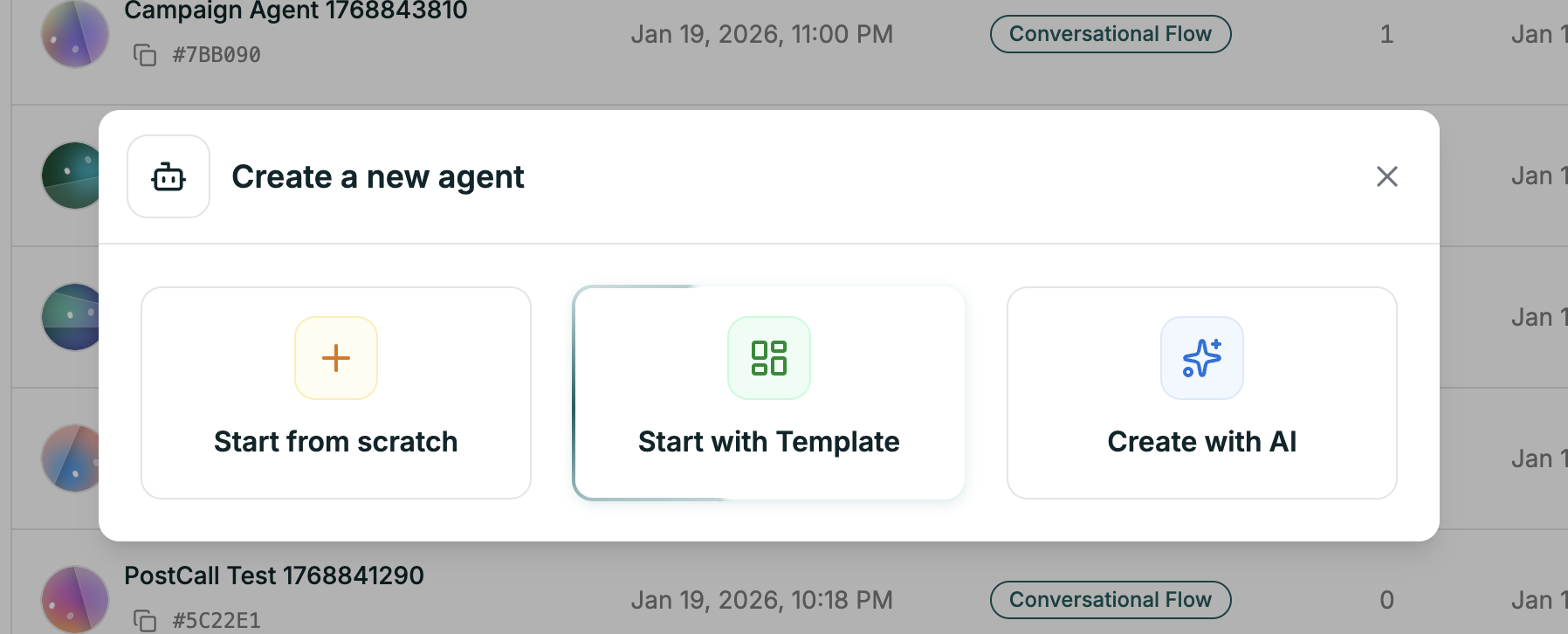
To create an agent, head to Agents in the sidebar, then click the Create Agent button in the top right.
| Method | What it is |
|---|
| Start from scratch | Blank canvas. Full control over every setting. |
| Start with Template | Pre-built starting points for common use cases like support, sales, or booking. |
| Create with AI | Describe what you want in plain language, and AI generates the agent for you. |