

Setup
Get your API key
Open app.smallest.ai, click your profile in the top-left, and go to Settings.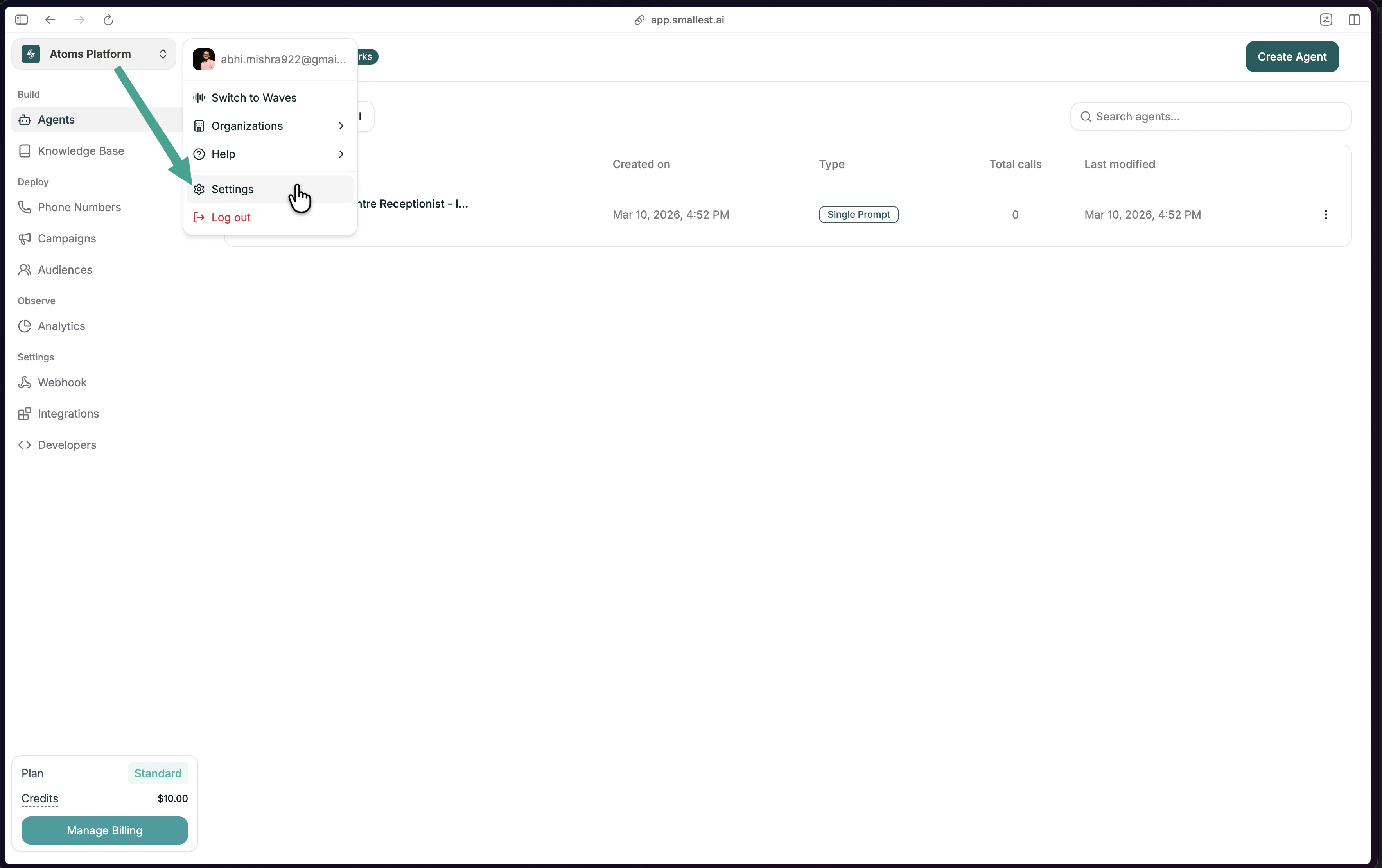
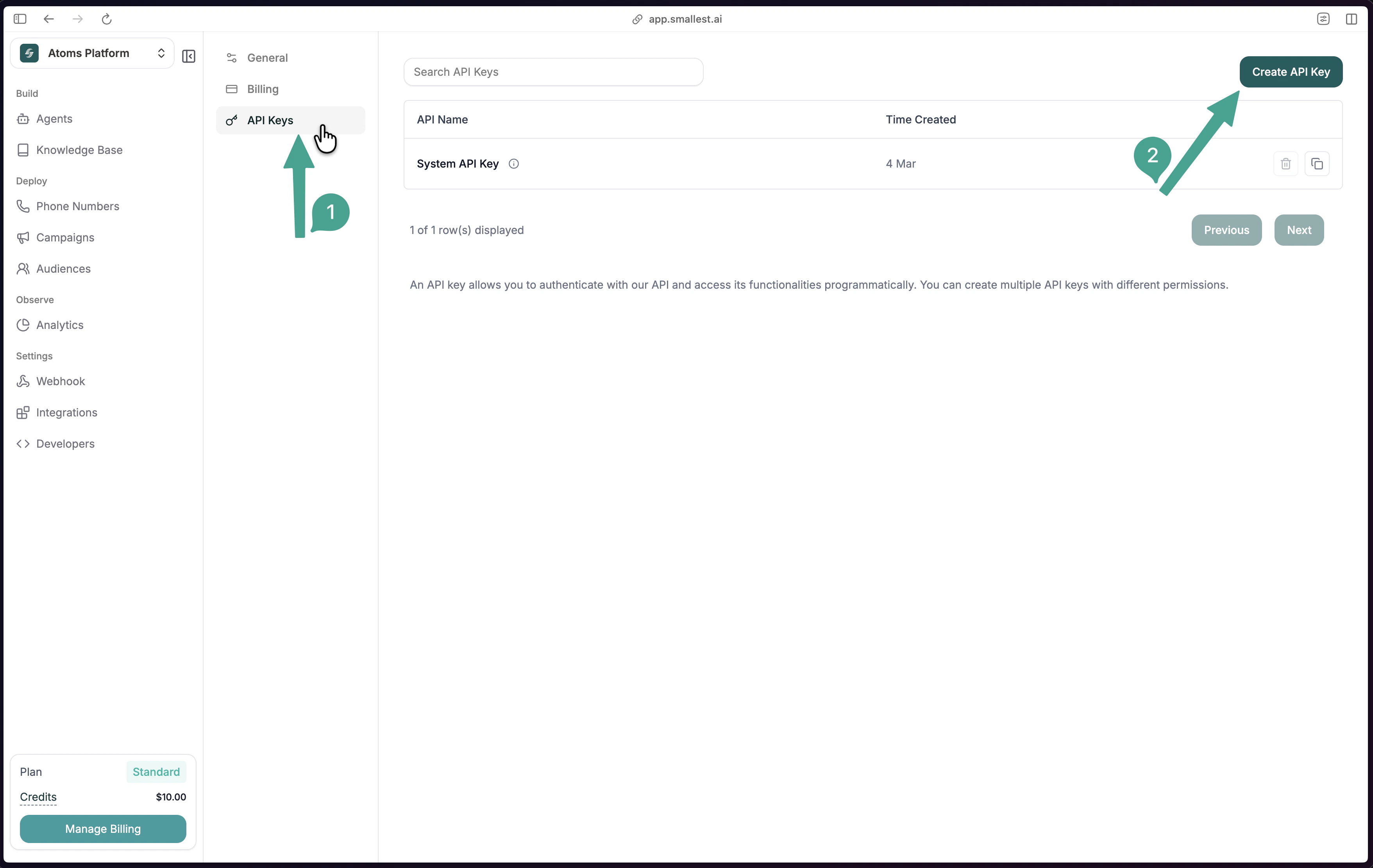
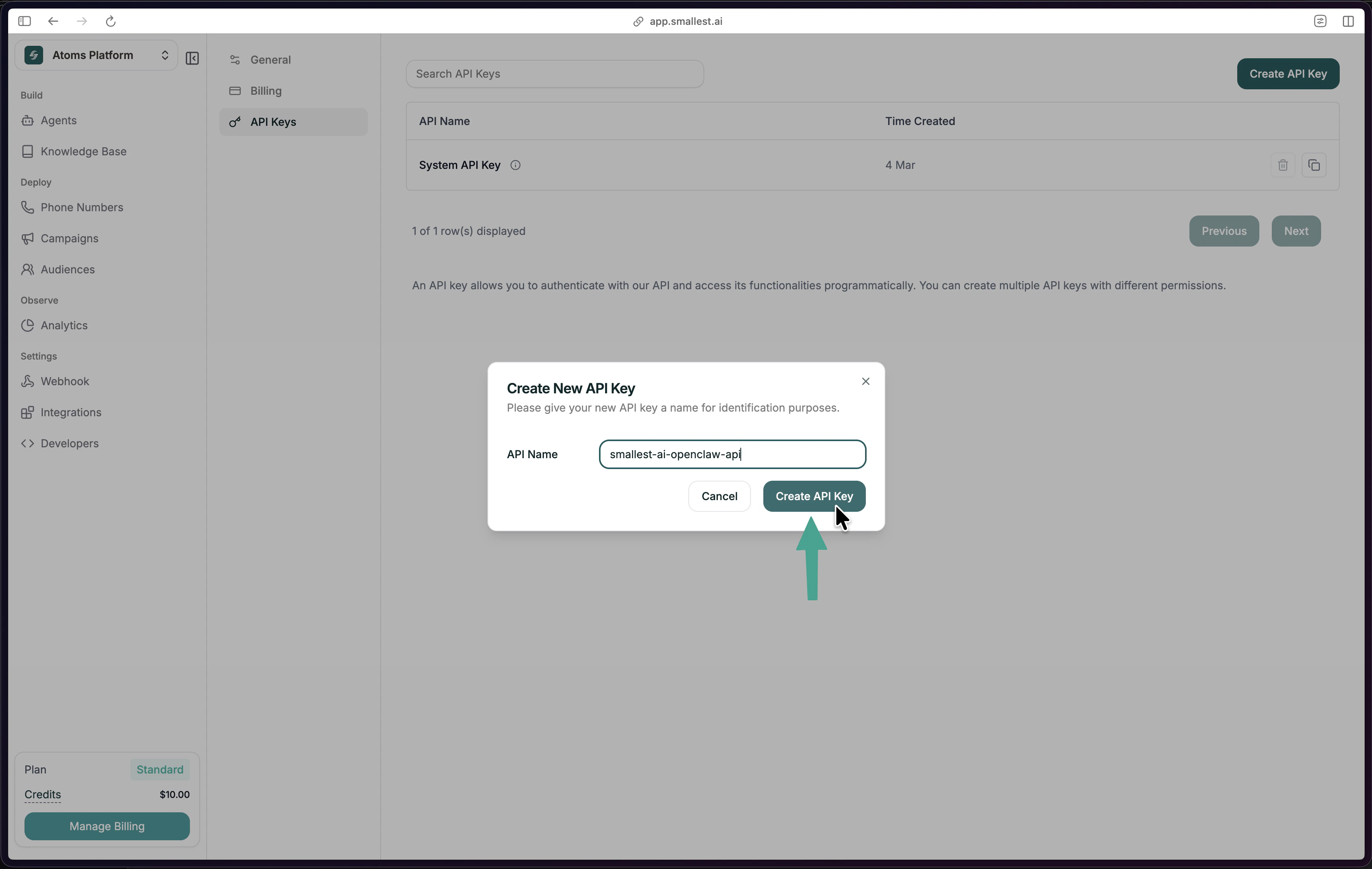
sk_.Paste this in your editor's chat
Open a chat in Cursor or Claude Desktop and paste one of these:Your assistant configures everything for you.
- curl (recommended)
- npm
Zero dependencies — no Node.js needed.
- Mac / Linux
- Windows
Restart your editor
- Cursor
- Claude Desktop
Cmd+Shift+P (Mac) or Ctrl+Shift+P (Windows) → Developer: Reload WindowWhat can you do?
Just type in your editor’s chat — the AI picks the right tool:- View data
- Debug
- Build
- Call