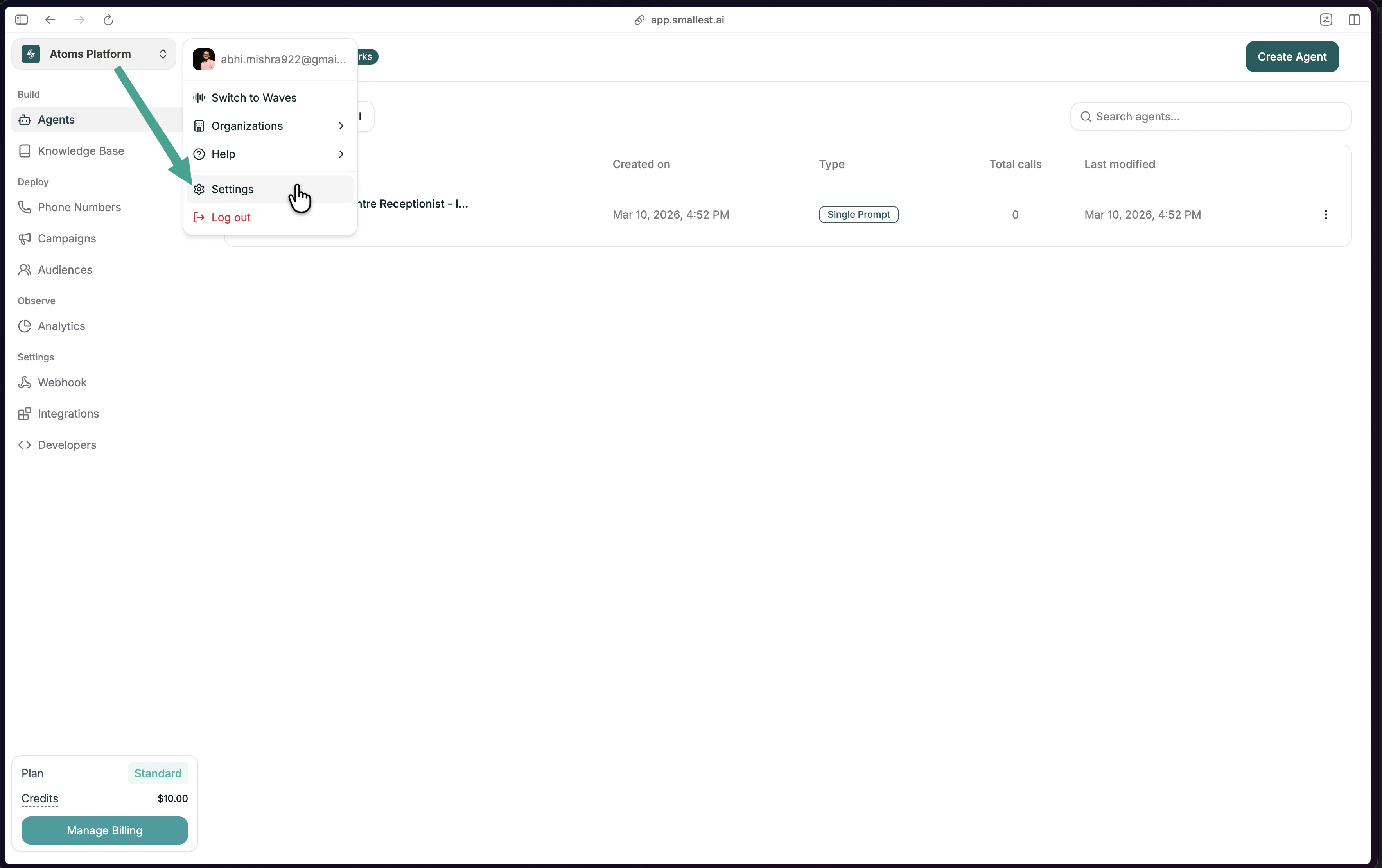
Need an API key first? Follow the steps below to create one from the Atoms platform.
Get Your API Key
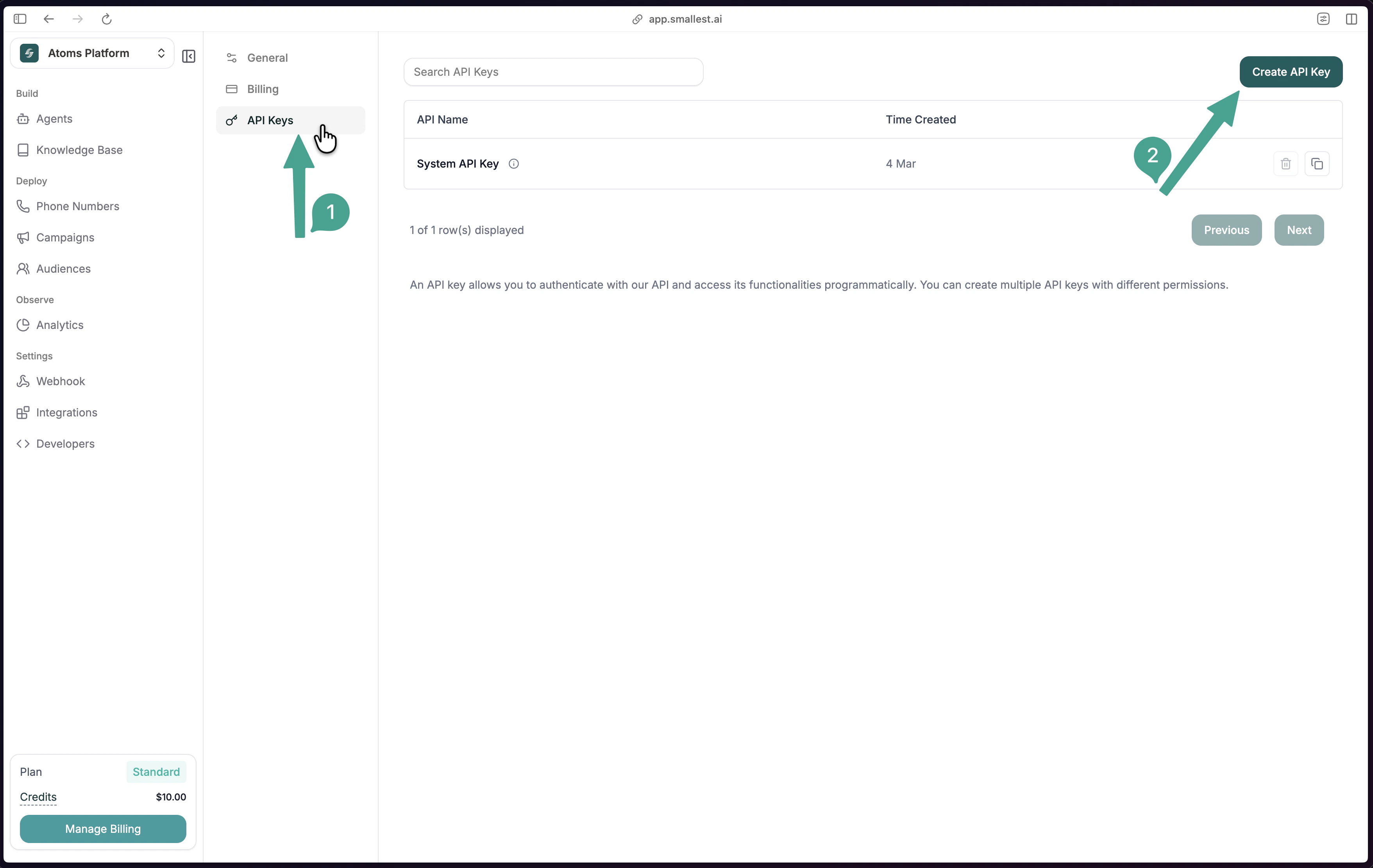
Go to API Keys
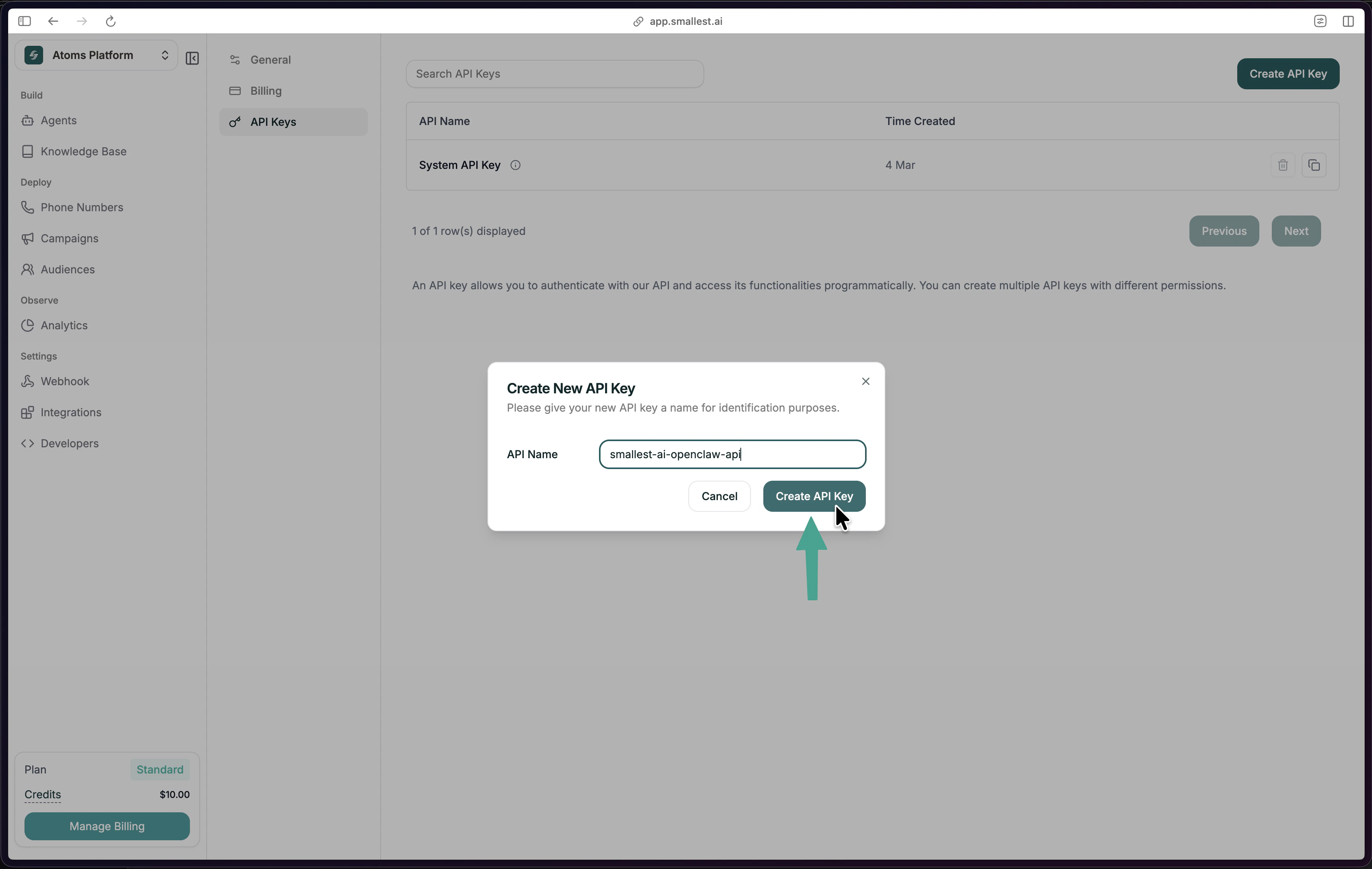
Click API Keys in the left sidebar, then click Create API Key in the top-right. Name and Create
Give your key a descriptive name (e.g., atoms-mcp-server) and click Create API Key. Copy and save it — you won’t see it again.
Install
Zero dependencies — no Node.js, no npm. Mac / Linux
Windows (PowerShell)
curl -fsSL https://raw.githubusercontent.com/smallest-inc/mcp-server/main/install.sh | bash
irm https://raw.githubusercontent.com/smallest-inc/mcp-server/main/install.ps1 | iex
Requires Node.js 18+ installed on your machine.
| OS | Path |
|---|
| Mac / Linux | ~/.cursor/mcp.json |
| Windows | %USERPROFILE%\.cursor\mcp.json |
Open Claude Desktop → Settings (gear icon) → Developer → Edit ConfigOr open the file manually:| OS | Path |
|---|
| Mac | ~/Library/Application Support/Claude/claude_desktop_config.json |
| Windows | %APPDATA%\Claude\claude_desktop_config.json |
"atoms" entry inside "mcpServers".{
"mcpServers": {
"atoms": {
"command": "npx",
"args": ["-y", "@developer-smallestai/atoms-mcp-server"],
"env": {
"ATOMS_API_KEY": "sk_your_api_key_here"
}
}
}
}
sk_your_api_key_here with your actual API key.Don’t share your API key or commit it to git.
Restart your editor
Cmd+Shift+P (Mac) or Ctrl+Shift+P (Windows) → Developer: Reload Window
Fully quit and reopen the app.
Verify
Go to Cursor Settings → MCP. You should see atoms listed with a green dot.Open a new chat (make sure you’re in Agent mode, not Ask mode) and type: Start a new conversation and type: Next steps
Head to the Prompt Cookbook — it has copy-paste prompts for everything you can do.